Cart
0
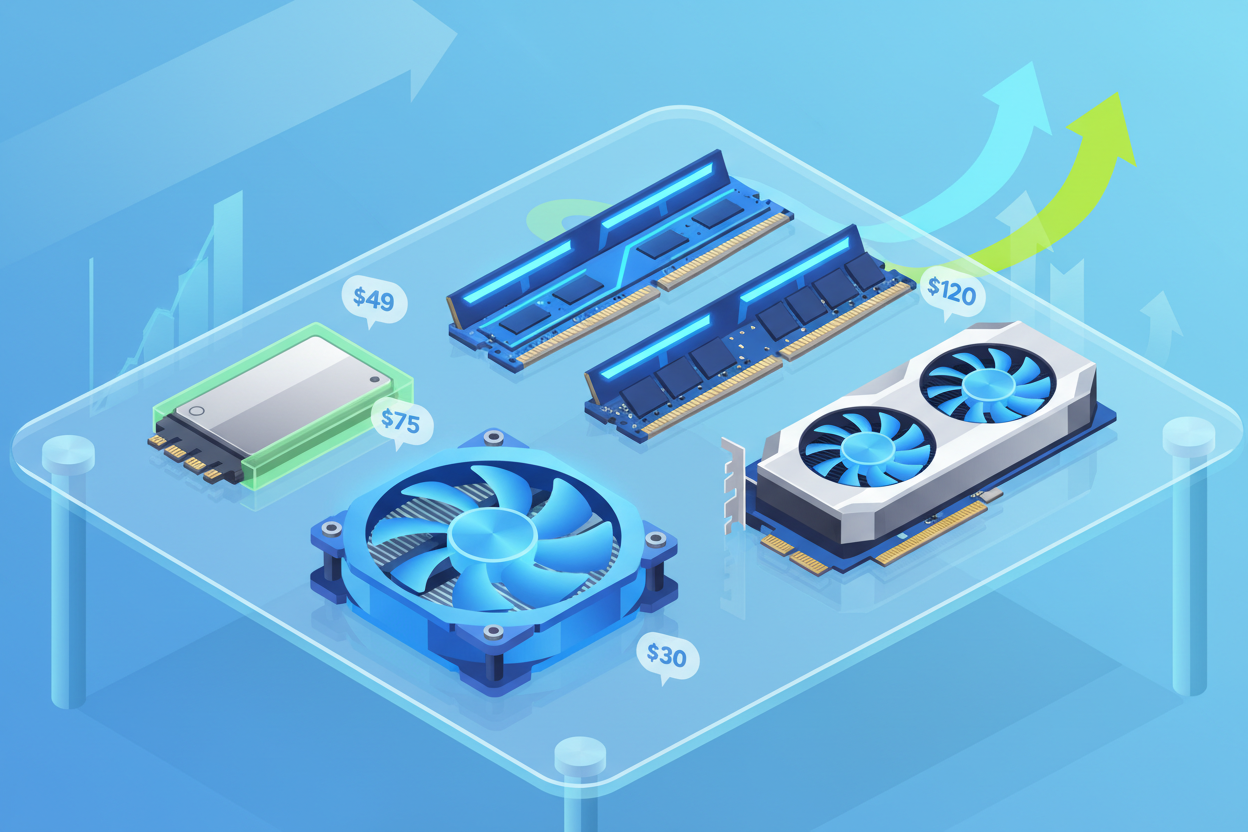
Budget-Friendly Upgrades to Boost PC Performance and Productivity
Discover effective yet affordable ways to enhance your PC’s speed, comfort, and overall experience without breaking the bank. From SSD upgrades to ergonomic accessories, these practical tips help optimize your tech setup with minimal investment.
Key takeaways
- Installing a budget SSD upgrade drastically improves boot and load speeds.
- Refreshing your CPU’s thermal paste helps maintain optimal cooling and performance.
- Affordable mechanical keyboards enhance typing precision and comfort.
- Ergonomic add-ons support posture and reduce physical strain during extended use.
- Upgrading to a quality, budget-friendly monitor improves visual clarity and reduces eye strain.
- Mesh Wi-Fi systems offer cost-effective solutions to eliminate dead zones in home networks.
- Certified refurbished tech provides reliable performance with eco-friendly benefits.
Table of contents
- 1. Supercharge PC Speed with SSD Upgrades
- 2. Elevate Cooling Efficiency with Budget Thermal Paste Renewal
- 3. Transform Your Typing Experience with Affordable Mechanical Keyboards
- 4. Forge a Comfortable Home Office with Ergonomic Add-ons
- 5. Enhance Visuals and Gaming with Economical Monitors
- 6. Amplify Network Coverage with Affordable Mesh Wi-Fi Systems
- 7. Save Big and Foster Sustainability with Certified Refurbished Tech
- 8. Harnessing Hybrid Budgeting for Effective Performance Choices
- Conclusion: Little Acquisitions, Great Gains
- FAQ
1. Supercharge PC Speed with SSD Upgrades
Upgrading from a conventional hard disk drive (HDD) to a solid-state drive (SSD) is one of the most impactful and affordable ways to boost your PC’s speed. This swap dramatically shortens boot times, accelerates file loading, and smooths multitasking.
Advantages of Opting for an SSD
- Swift Performance: SSDs have no moving parts, granting instantaneous data access.
- Sturdiness: Less prone to physical wear, thus more reliable over time.
- Eco-Friendliness: Consume less power, prolonging laptop battery life.
- Cost-Efficient Choices: Options like the Samsung 860 EVO (~$60) balance performance and price.
Upgrading to a 500GB SATA SSD can revitalize older systems by reducing boot times from minutes to mere seconds, enhancing productivity, and reducing frustration.
Quick Tips for SSD Enhancements
- Clone your existing drive to preserve all data and settings.
- Choose SATA or NVMe SSDs based on your system compatibility.
- Use external enclosures or adapters for hassle-free data migration.
An SSD upgrade might seem simple but delivers transformative benefits at a modest cost.
2. Elevate Cooling Efficiency with Budget Thermal Paste Renewal
Over time, thermal paste between the CPU and cooler dries out, causing increased temperatures and potential throttling. Renewing this paste maintains optimal heat transfer and system stability.
The Relevance of Thermal Paste
- Enhances heat transfer between CPU and cooler.
- Fresh application can reduce temperatures by up to 7℃.
- Extends component lifespan by preserving system stability.
Economical Thermal Paste Alternatives
High-performing options like Arctic MX-4 cost under $10 and last for years if reapplied every 2-3 years. The replacement process is straightforward:
- Gently detach the CPU cooler.
- Carefully clean old paste from CPU and cooler with isopropyl alcohol.
- Apply a small, pea-sized dollop of new thermal paste.
- Reattach the cooler securely.
This simple maintenance keeps your PC running cooler and more reliably without investing in expensive cooling solutions. Explore more tips on thermal paste replacement.
3. Transform Your Typing Experience with Affordable Mechanical Keyboards
Ditching low-quality keyboards for budget mechanical alternatives boosts typing speed, precision, and reduces fatigue. Models like the Aula F87 and Redragon K552, priced between $50-$70, offer impressive features.
- Pre-lubed hot-swappable switches for smooth keypresses.
- Durable PBT keycaps resist wear and finger shine.
- Wireless options maintain a clean desk setup.
- Noise profiles suited for office or home use minimize distractions.
Upgrading your keyboard improves overall comfort and productivity, making daily computing or gaming sessions more enjoyable. Dive deeper into budget mechanical keyboards and their benefits.
4. Forge a Comfortable Home Office with Ergonomic Add-ons
Long hours at a desk call for ergonomic accessories that promote health and comfort. Sub-$50 upgrades can significantly enhance posture and reduce strain.
Vital Sub-$50 Ergonomic Upgrades
- Adaptable Monitor Risers: Position your screen at eye level to ease neck tension.
- Ergonomic Mice: Devices like the Logitech MX Vertical reduce wrist strain.
- Vertical Laptop Stands: Keep desks tidy and improve laptop ventilation.
- Ergonomic Chairs or Cushions: Even budget lumbar supports elevate comfort for longer sessions.
Community inspirations abound, with setups featuring calming wall colors, custom desks, and ultra-wide monitors to craft inviting, efficient spaces. Explore ergonomic accessories and ideas here.
5. Enhance Visuals and Gaming with Economical Monitors
Your monitor defines your digital window. Upgrading to a better display improves clarity, reduces eye strain, and supports smoother visuals.
Why Monitor Upgrades Matter
- Higher resolutions yield crisper images and more workspace.
- Faster refresh rates (100Hz+ ) improve animation fluidity.
- Improved color accuracy enhances creative work and entertainment.
Affordable options such as the ASUS VZ24EHF (23.8" Full HD, 100Hz) or LG 27GL850 (27" 1440p, 144Hz) strike excellent balances of price and performance. Check out more budget-friendly monitors with premium specs.
6. Amplify Network Coverage with Affordable Mesh Wi-Fi Systems
A weak or spotty internet connection undermines productivity. Mesh Wi-Fi systems provide comprehensive, reliable coverage throughout your home.
Benefits of Mesh Wi-Fi
- Multiple access points eliminate dead zones.
- Cost-effective sets like eero 6+ are easier than multiple routers or cabling.
- Smooth roaming between nodes without connection drops.
- Scalable by adding additional nodes as needed.
Optimizing home network coverage is a smart method to maintain uninterrupted workflows and entertainment. Learn more about mesh Wi-Fi solutions.
7. Save Big and Foster Sustainability with Certified Refurbished Tech
Certified refurbished devices offer a budget-friendly, eco-conscious way to upgrade laptops, tablets, and peripherals.
Why Choose Certified Refurbished?
- Prices 20-50% lower than new models.
- Professionally tested and restored to like-new condition.
- Warranty and return policies provide peace of mind.
- Reduce electronic waste via eco-friendly purchasing.
Retailers such as Techable offer a broad selection of certified refurbished desktop accessories backed by quality assurance. Browse refurbished tech options here.
8. Harnessing Hybrid Budgeting for Effective Performance Choices
Leverage expert reviews and budget guides to balance price with performance for smart purchases.
- Laptops: Acer Aspire 3 for basics, Lenovo Chromebook Duet Gen 9 for versatility, Katana 15 HX (RTX 4050) for gaming.
- Peripherals: Dell Wired Collaboration Keyboard, HP 400 Quiet Wireless Mouse for dependable use.
- Smart Home: Amazon Echo Pop, TP-Link smart plugs compatible with Matter/IFTTT.
- Motherboards: ASRock Z890 Taichi offers features under $300.
Trust trusted brands and expert recommendations to avoid costly mistakes. Check out PCMag’s budget picks for guidance.
Conclusion: Little Acquisitions, Great Gains
Enhancing your PC and home office doesn’t demand lavish spending or drastic overhauls. By integrating budget-conscious upgrades like SSDs, thermal paste refreshes, mechanical keyboards, ergonomic accessories, better monitors, mesh Wi-Fi, and certified refurbished tech, you unlock faster, more comfortable, and more productive environments.
These strategic investments, mostly under $50, can transform sluggish machines and uninspiring workspaces into efficient digital hubs. Remember to:
- Identify your PC’s bottlenecks before upgrading.
- Prioritize ergonomics to optimize long sessions.
- Consider refurbished gear for significant tech leaps.
- Rely on expert-curated budget product lists for smart shopping.
“Small, well-chosen tech upgrades rooted in community wisdom radically improve your workflow and comfort without draining your wallet.”
Elevate your productivity, embrace comfort, and enjoy your tech more today with savvy, budget-friendly enhancements that expand your technology prowess without overspending.
Explore a diverse array of affordable solutions at Store.virventures, your go-to destination for tech that fits your lifestyle and budget.
FAQ
- Q1: How much can an SSD upgrade improve my PC speed?
- Q2: How often should I replace my CPU’s thermal paste?
- Q3: Are budget mechanical keyboards truly more durable?
- Q4: Will ergonomic accessories really reduce discomfort?
- Q5: Is certified refurbished tech safe to buy?
Q1: How much can an SSD upgrade improve my PC speed?
SSDs significantly reduce boot and load times — often decreasing startup from minutes to seconds and allowing applications to open much faster. This upgrade provides one of the most noticeable boosts even for older systems.
Q2: How often should I replace my CPU’s thermal paste?
Replacing thermal paste every 2 to 3 years is generally recommended to maintain efficient heat transfer and cooling performance, though frequent monitoring of CPU temperatures can help determine if earlier renewal is needed.
Q3: Are budget mechanical keyboards truly more durable?
Yes, budget mechanical keyboards often feature high-quality components like PBT keycaps and hot-swappable switches, offering greater durability and comfort than typical membrane keyboards at a fraction of premium prices.
Q4: Will ergonomic accessories really reduce discomfort?
Ergonomic products such as adjustable monitor risers, vertical mice, and lumbar cushions encourage correct posture and minimize strain, which can decrease fatigue and discomfort during prolonged computer use.
Q5: Is certified refurbished tech safe to buy?
Certified refurbished devices undergo testing and restoration to meet manufacturer standards and commonly include warranties and return policies, making them a safe and budget-friendly option.